AllPath logo

Trading Agent

open source

by AllPath

AllPath · Trading Agent

A trading agent that proposes.
You approve.

Self-hosted, open source. Write strategies in plain YAML, let a sentinel watch them every hour, chat with an agent that remembers how you think — and keep a human approval gate in front of every single order.

Broker
Alpaca · paper
Models
OpenRouter · OpenAI · Anthropic
Stack
Python · SQLite
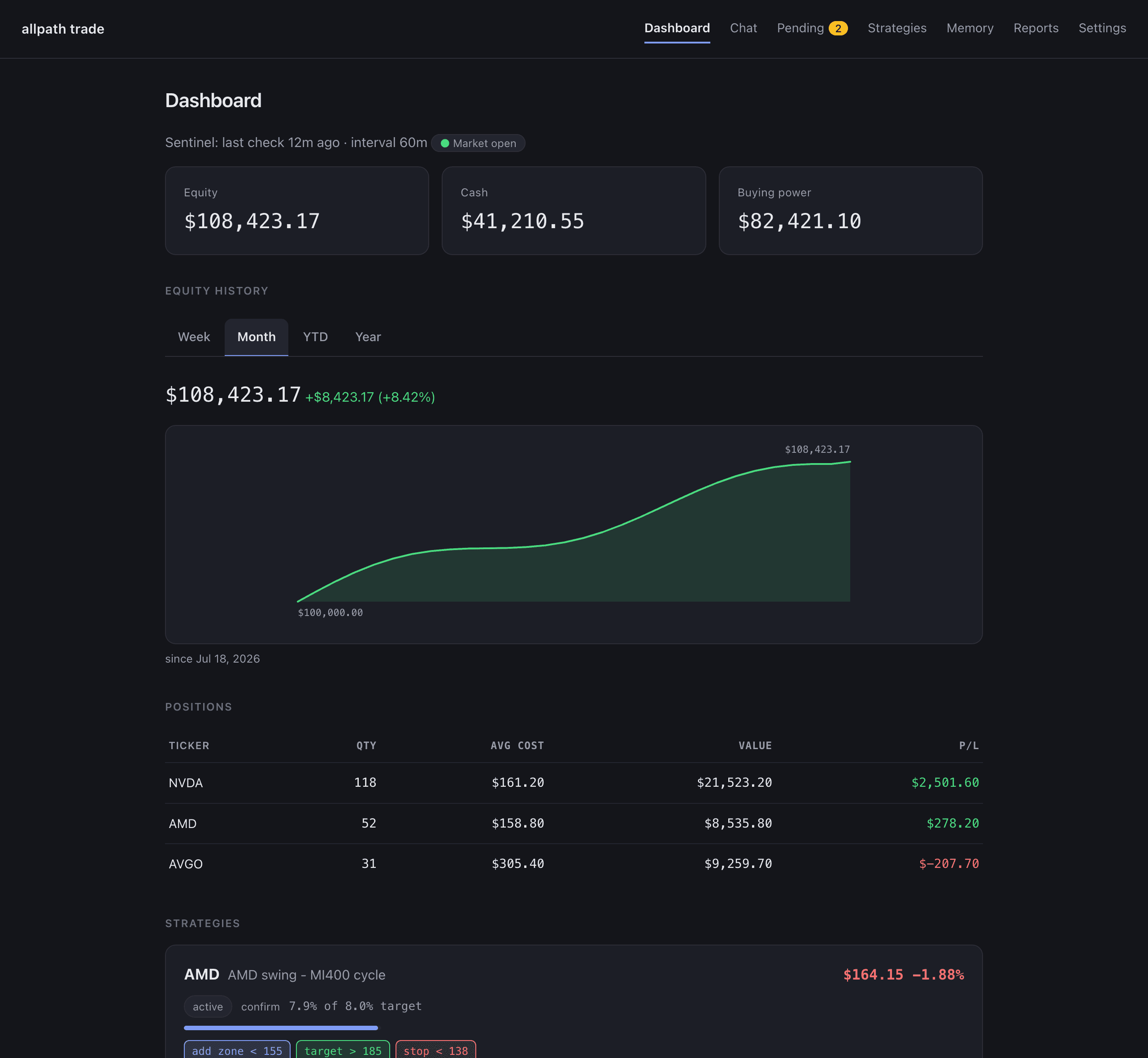
127.0.0.1:8791 — Dashboard
Dashboard: equity curve with week / month / YTD / year tabs, positions table, and compact strategy cards. All figures are demo data.
demo data — not a real account

How an order happens

Six hops. One of them is you.

  1. sentinel

    rule fires

    price < 150 in your YAML strategy

  2. agent

    agent researches

    reads the chart, your memory, the thesis

  3. agent

    proposal queued

    order or strategy change, with a diff

  4. you

    you approve

    web, phone push, or Telegram link

  5. code

    risk gate

    deterministic caps — cannot be bypassed

  6. broker

    paper order

    Alpaca paper account by default

The agent has no tool that places an order or writes a strategy file. It can research, remember, and propose. Approval is a click on the Pending page, a one-time link in a notification, or nothing at all — in which case nothing happens.

Strategy sentinel

Write the plan once. It gets checked every hour.

Strategies are plain YAML: a thesis, a target weight, and rules like `price < 140 → sell all`. During market hours the sentinel evaluates every active strategy on your interval, arms and fires rules, and queues anything that needs a decision.
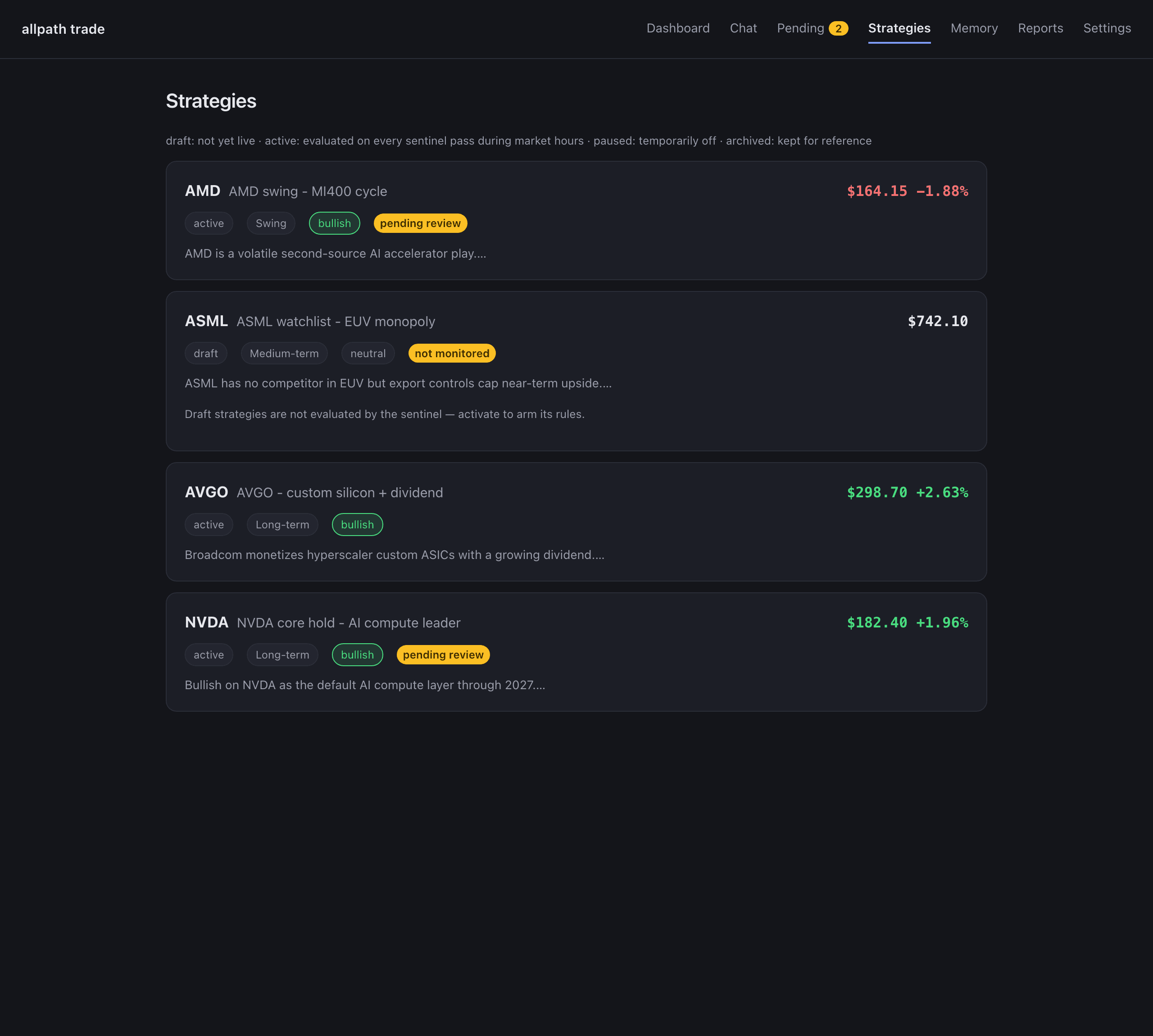
Strategies page: cards for four fictional strategies with horizon and bias chips, live price and day change, and colour-coded key levels.

An agent that remembers

Talk to it in the browser or in Telegram — same agent, same memory.

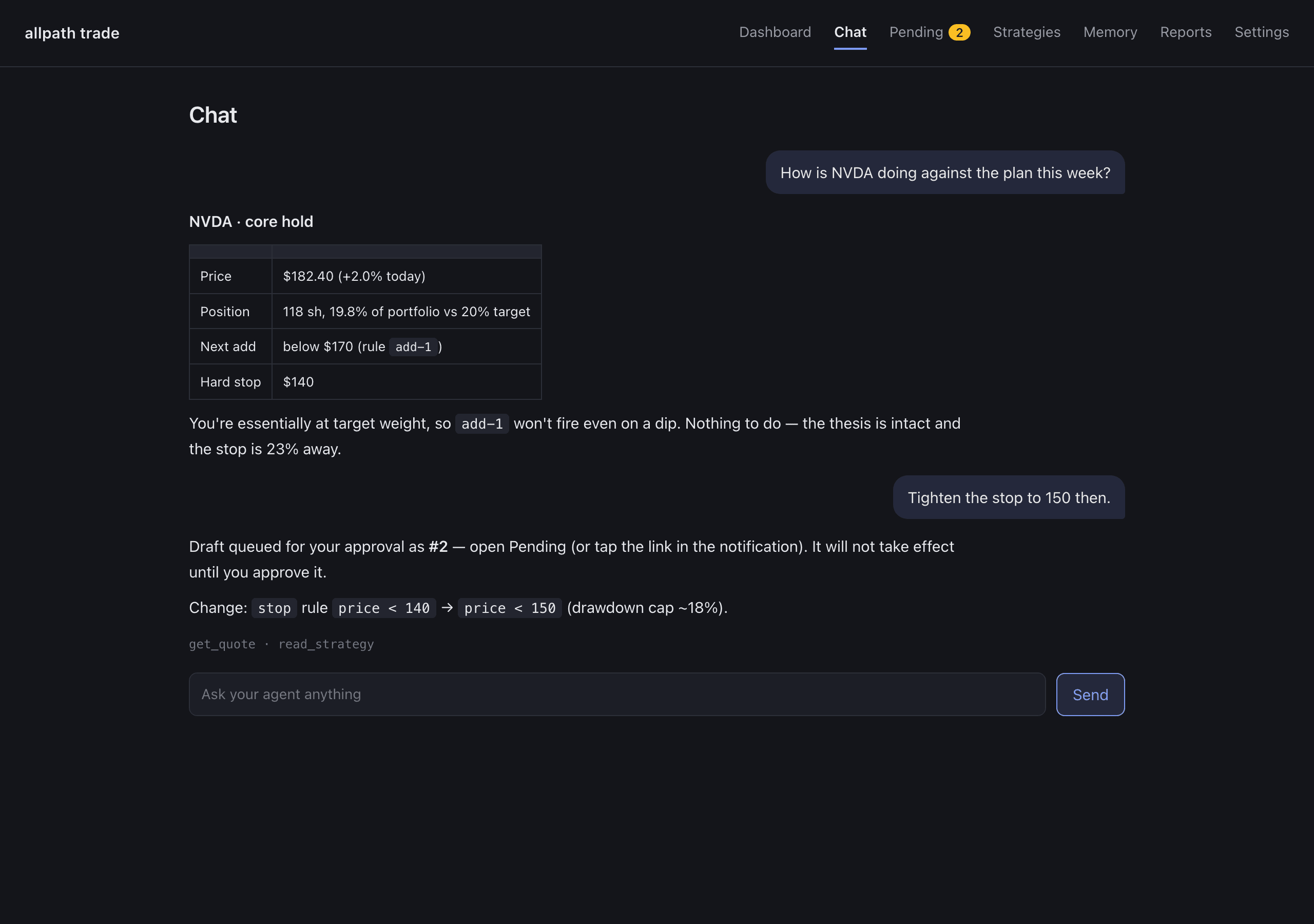
Ask what a position looks like against its plan, tighten a stop, draft a new strategy. It keeps four layers of memory (your profile, strategies, per-stock notes, lessons) and consolidates them nightly, so it gets less generic the longer you use it. Bring your own model: OpenRouter (any model, one key), OpenAI, or Anthropic — pick a different tier for chat, hourly review, and memory.

Chat page: the agent answers a question about NVDA with a small table, then queues a stop-loss change for approval.

Nightly reflection

After the close, it re-reads the day and tells you what it thinks.

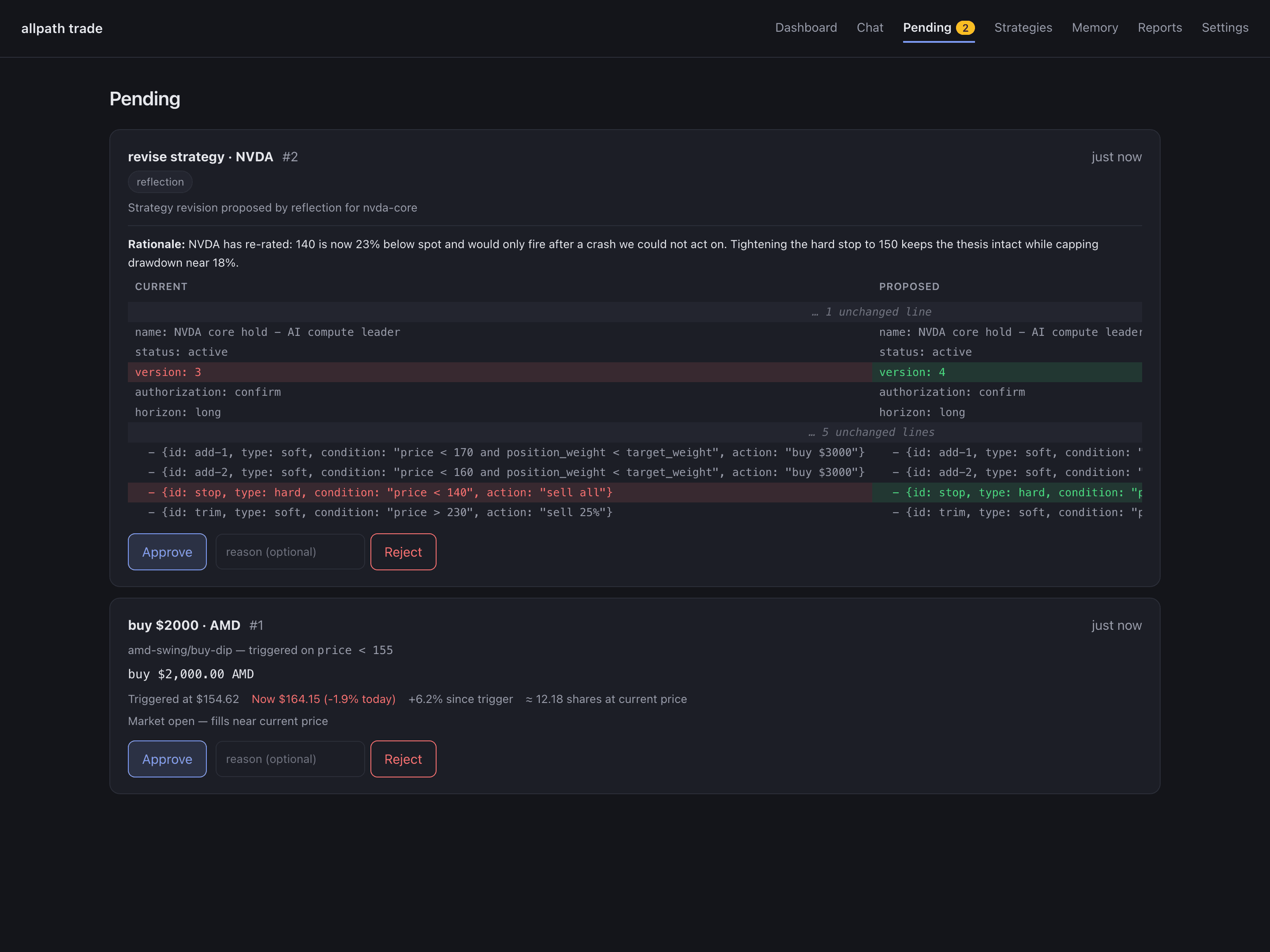
A bounded reflection session reviews every strategy against the day's fills, prices, and triggers, writes durable lessons into memory, and — when a thesis has drifted — proposes a revision. You get the report on your phone; the proposal waits on the Pending page.

Pending page: a reflection-proposed strategy revision shown as a side-by-side diff, and a triggered buy order with its price context, each with Approve and Reject.

What it will not do

Built for the boring failure modes: nothing moves money without you.

  • Paper by default

    Alpaca paper trading out of the box. Live trading is a deliberate .env change, not a checkbox.

  • Every order waits for you

    The agent can only propose. Web, one-tap link, or Telegram — but a human clicks Approve.

  • Risk gate in code

    Position caps and daily limits are deterministic Python the LLM cannot reach around.

  • Strategy edits are diffs

    Chat drafts and reflection proposals land as side-by-side diffs. Nothing writes to a strategy file except your approval.

  • Runs on your machine

    SQLite, local YAML, your own API keys. Nothing leaves your box but the calls you configured.

  • Honest state

    Draft strategies are labelled not monitored. Fills show submitted vs filled. A stale heartbeat shows as stale.

Quick start

Six steps to a running agent. Paper account, no card.

  1. 01

    Clone and install

    Needs Python 3.11+ and uv. Nothing else to install — the broker and data clients ship with the package.

    git clone https://github.com/dukesky/allpath-trading-agent
    cd allpath-trading-agent
    uv sync
  2. 02

    Get a broker key (free paper account)

    Alpaca paper accounts are free and need no funding. Generate the key pair from the Paper Trading dashboard (right-hand panel).

    # .env
    ALPACA_API_KEY=your_paper_key
    ALPACA_SECRET_KEY=your_paper_secret
    ALPACA_PAPER=true
  3. 03

    Pick an LLM provider

    One key is enough. OpenRouter is recommended (any model behind one key); OpenAI and Anthropic connect directly. You can pick different models per tier later in Settings.

    # .env — choose ONE
    LLM_PROVIDER=openrouter
    OPENROUTER_API_KEY=sk-or-...
    
    # or: LLM_PROVIDER=openai     + OPENAI_API_KEY=...
    # or: LLM_PROVIDER=anthropic  + ANTHROPIC_API_KEY=...
  4. 04

    Start the web UI

    The first run prints a login token in the terminal. Open the URL, paste the token, and you are on the dashboard.

    cp .env.example .env   # then fill in the keys above
    uv run allpath-trade serve
    # → http://127.0.0.1:8791
  5. 05

    Draft a strategy in chat, then approve it

    Describe the plan in plain English. The draft lands on Pending as a diff; approve it, then activate it on the Strategies page so the sentinel starts watching.

    You: "Buy NVDA on pullbacks under 170, up to 20% of the account, hard stop at 140."
    Agent: Draft queued for your approval as #1 — open Pending.
    # Approve on Pending → Activate on the Strategies page → the sentinel starts watching
  6. 06

    Take it with you (optional)

    Push via ntfy or pair a Telegram bot in Settings. Triggers, fills, nightly reports, and one-tap approve links reach your phone.

    Settings → Push notifications (ntfy)  or  Settings → Telegram
    # triggers, fills, nightly reports and approve links on your phone

Full setup, the strategy YAML reference, and every safety note are in the README (English and Chinese). Live trading is a deliberate .env change, never the default.

More of the UI

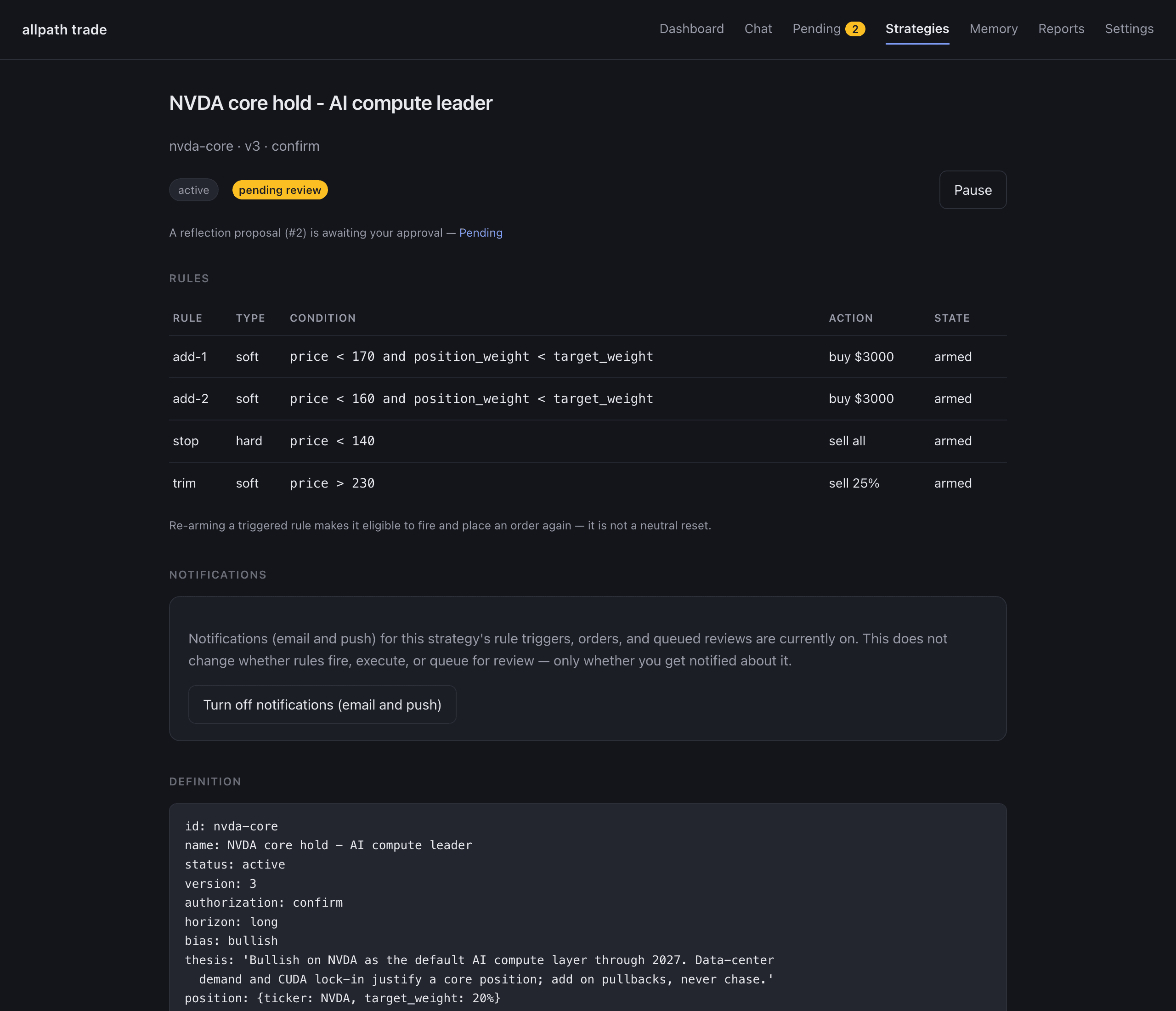
Strategy detail: thesis, rules with live state, version history, and the per-strategy notification toggle.
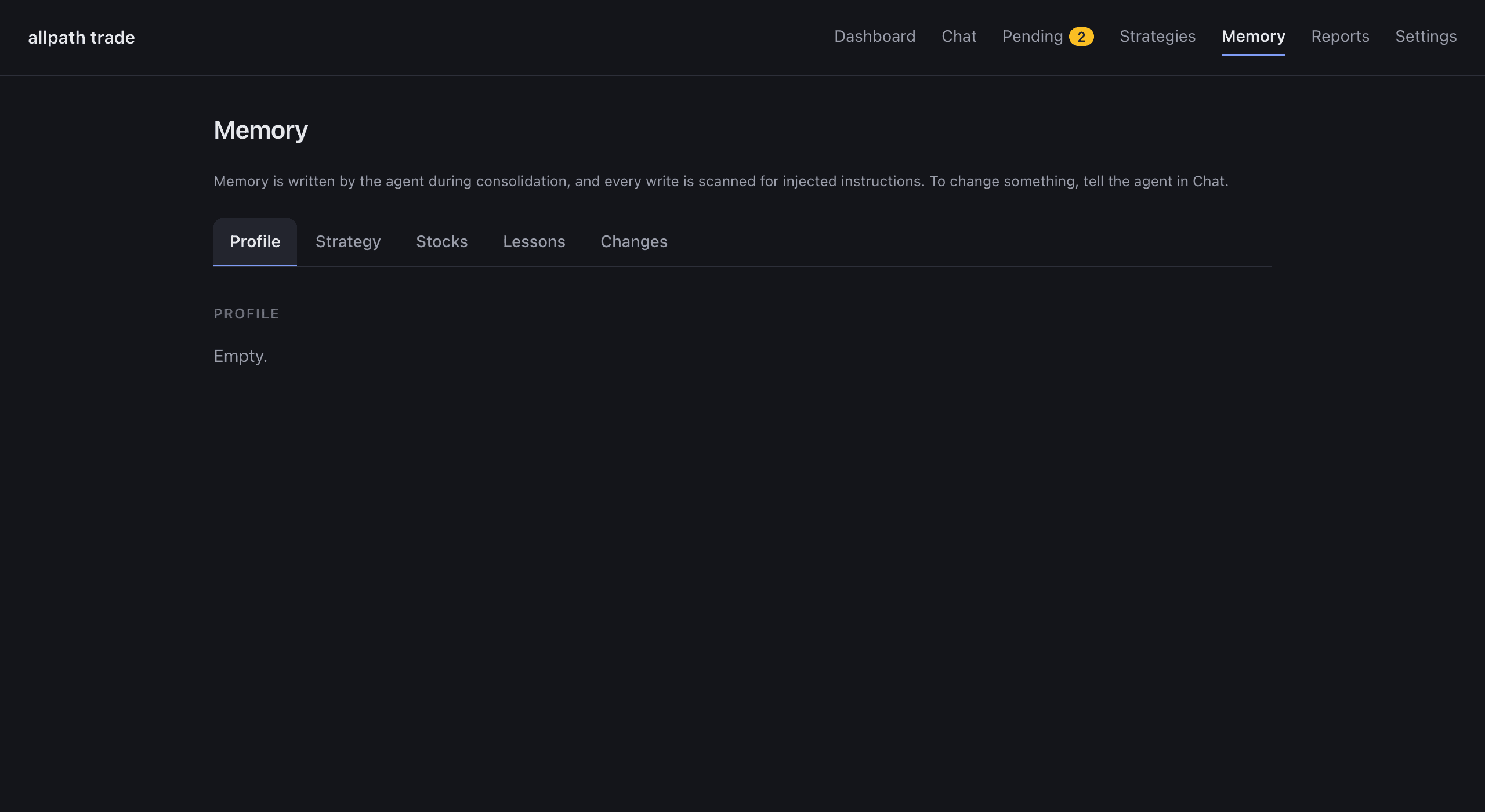
Memory page: the agent's curated layers — profile, strategies, per-stock notes, lessons — read-only, written only through conversation.
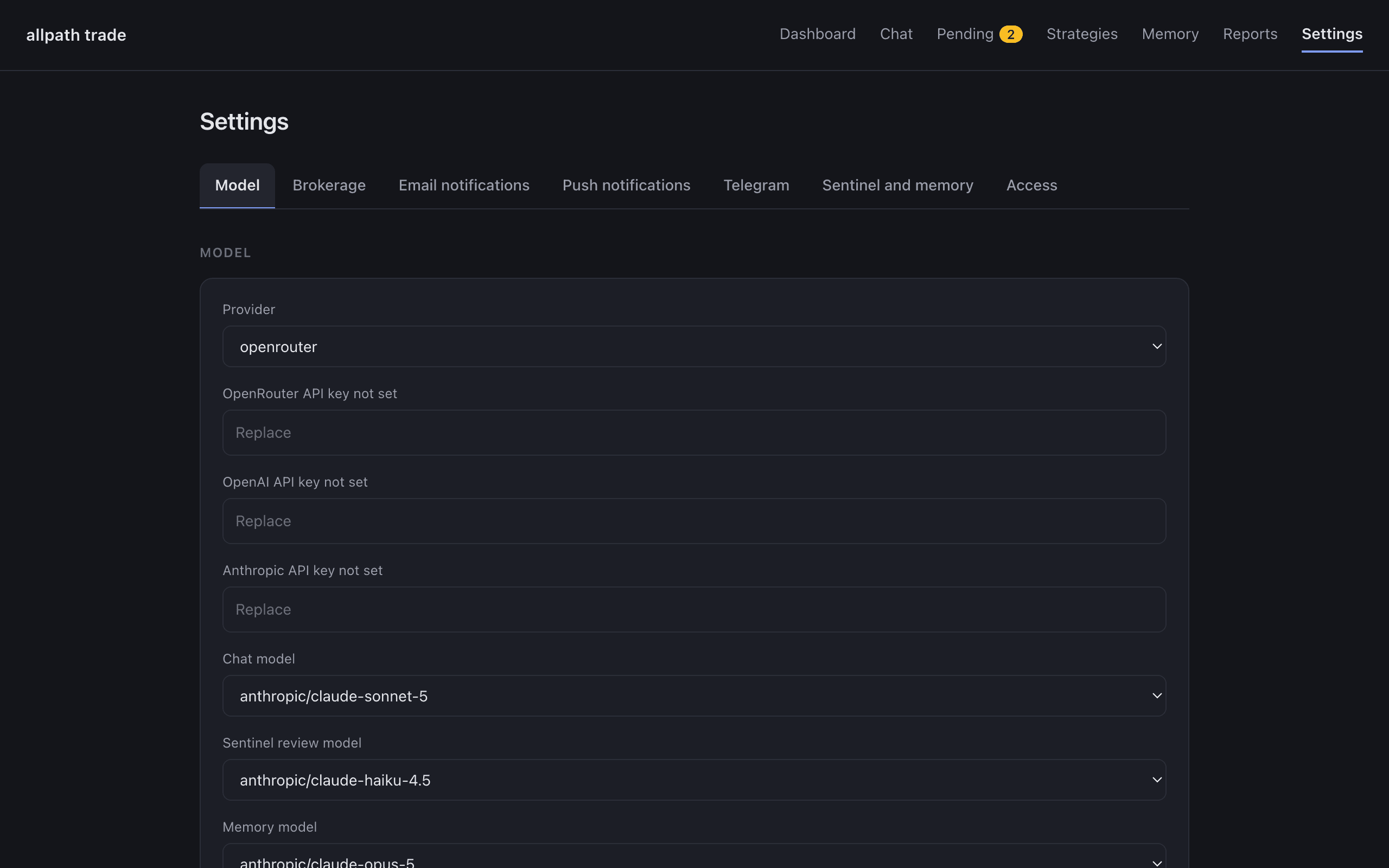
Settings: model dropdowns from a live catalog, per-channel notification tests, Telegram pairing, one Save.